
Introduction
Passkeys reduce one of the oldest login problems: a password that can be typed into the wrong page, reused, guessed, or stolen. That is a real improvement. However, a safer sign-in method can still fail as an operating decision.
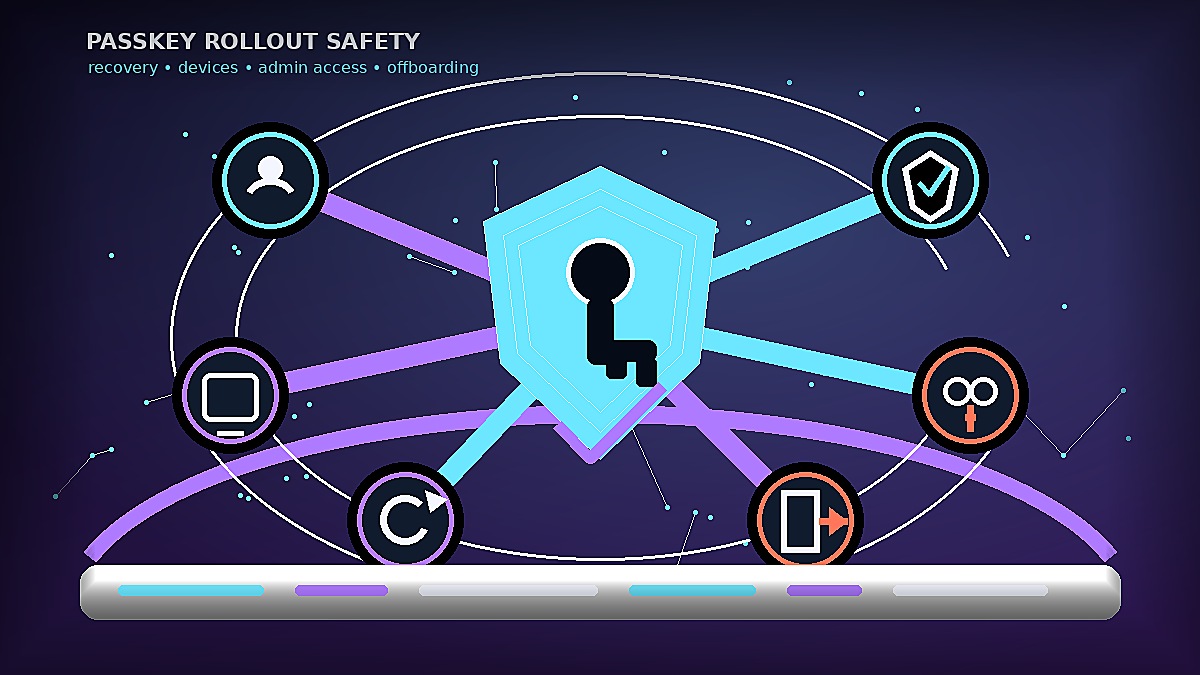
The mistake is to treat passkey safety as a feature rollout. A team turns it on. It sends a short note. Then it assumes the risk has moved down. That is not enough. The rollout is safe only when recovery, devices, admin access, shared accounts, and offboarding are clear.
Moeenism’s view is simple: passkeys should remove password risk without creating hidden ownership risk. The work is not just getting people to sign in differently. It is making sure the team can still recover, review, and remove access when real life gets messy.
Key Takeaways
- Passkeys help reduce phishing and password reuse risk, but they do not remove the need for access governance.
- The safest rollout starts with a small group of accounts, a tested recovery path, and clear device rules.
- Admin accounts need stricter handling than normal user accounts.
- Shared accounts should be reduced or assigned to a named owner before passkeys are added.
- A passkey rollout is not complete until offboarding and lost-device recovery have been tested.
What passkeys fix, and what they do not fix
A passkey can make sign-in harder to phish because the credential is tied to the service and normally protected by a device unlock, biometric check, PIN, or security key. Public guidance from Microsoft, NIST, NCSC, and the FIDO Alliance all points in the same direction: better authentication can reduce dependence on weak, reused, or easily stolen passwords.
However, authentication is only one part of access. A passkey does not decide who should own an account. It does not clean up an old shared mailbox. It does not tell a manager what to do when an employee loses a phone. It also does not prove that every admin account has backup access and review evidence.
Therefore, a passkey project needs two tracks. The technical track enables the sign-in method. The operating track names the owner. It defines recovery. It also shows how the team removes access later.
The Passkey Ownership Map
The useful question is not, “Can we turn on passkeys?” The better question is, “Can we still control access after we turn them on?” This is the Moeenism Passkey Ownership Map.
| Passkey rollout check | What the team decides | Failure it prevents |
|---|---|---|
| Account fit | Which accounts move to passkeys first, and which stay under a different control for now. | A rushed rollout on accounts the team cannot support. |
| Recovery path | Who can recover access, what proof is needed, and what is recorded after recovery. | Lockouts that turn security into a business outage. |
| Device boundary | Whether passkeys may live on personal phones, work devices, hardware keys, or managed platforms. | Access moving to devices nobody owns or can remove. |
| Admin protection | Which admin accounts need stronger controls, backup keys, and extra review. | A normal user rollout that leaves privileged access exposed. |
| Shared-account exit | How shared accounts will be removed, split, or governed before passkeys hide the real owner. | A passwordless login that still has unclear accountability. |
| Offboarding test | How access is removed when a person, phone, browser profile, or device leaves the team. | Old access surviving because nobody tested removal. |
This table is also the article’s in-content visual. It is meant to be used before the rollout, not after the first lockout or access dispute.
A practical rollout path
Start with accounts that are easy to support
Begin with a small group of standard user accounts. Choose people who can report issues quickly and who use supported devices. This keeps the first test simple. It also gives the team a chance to learn how recovery and device changes work before the rollout reaches everyone.
Avoid starting with the most sensitive admin accounts unless the recovery plan is already tested. Admin access needs more care because a failed recovery can block important work, and a weak recovery path can defeat the purpose of stronger sign-in.
Write the recovery rule before the announcement
Most rollouts explain how to create a passkey. Fewer explain what happens when the device is lost, replaced, reset, or handed back. That gap matters.
Before rollout, decide who verifies the user, which second proof is accepted, how emergency access is handled, and where the recovery action is recorded. In other words, recovery should be a controlled process, not a favour given in a hurry.
Separate personal convenience from team control
Passkeys often feel personal because they sit close to a phone, browser profile, or device account. That can be fine for consumer accounts. For a team, it needs a boundary.
For example, a company may allow platform passkeys on managed devices while using hardware keys for some admin roles. Another small team may begin with a password manager and MFA while it prepares passkeys properly. The right answer depends on the tool stack, support skill, device ownership, and risk level. The wrong answer is to let every user choose silently.
Where teams usually get passkey safety wrong
First, they announce a security upgrade without explaining the support model. People then treat any sign-in problem as proof that the security change is bad. Instead, leaders should make the recovery path visible before the first user is moved.
Second, they ignore shared accounts. If five people use one login today, a passkey can make that confusion harder to see. Shared accounts should be replaced, split, or given a named owner. Otherwise, the team has stronger sign-in but weaker accountability.
Third, they focus only on normal users. Admins, finance users, founders, and system owners may need stricter controls, backup keys, and more frequent review. A broad rollout that skips privileged access leaves the biggest decisions untouched.
Finally, they do not test offboarding. A team should confirm that access can be removed from devices, browser profiles, security keys, and recovery methods when someone leaves or changes role.
Moeenism recommendation
Use passkeys where they reduce real password risk, but do not describe the rollout as finished until three things are true.
First, every covered account has an owner. Second, every recovery route has a clear verifier and evidence trail. Third, every device or key used for sign-in can be removed or replaced without guesswork.
If that sounds too heavy, scale it down rather than skip it. A small team can start with one page. Pick a pilot group. Review admin accounts each month. The point is not paperwork. The point is to keep passwordless sign-in from becoming ownerless sign-in.
For related access decisions, see Moeenism’s guides on Microsoft 365 sign-in safety, security awareness without fear, and browser extension safety.
Frequently Asked Questions
Are passkeys safer than passwords?
They can be safer because they reduce password reuse and many phishing risks. However, the result depends on device control, recovery rules, and how the account is managed.
Should every team move to passkeys at once?
No. A staged rollout is safer. Start with accounts the team can support, then expand after recovery and offboarding have been tested.
What should small teams do about shared accounts?
Reduce them where possible. If a shared account cannot be removed yet, assign a named owner, define who may use it, and set a review date.
Do passkeys replace MFA?
Not automatically. Some passkeys are used as strong authentication methods, but exact controls depend on the platform and policy. Check the service documentation before changing MFA rules.
What is the first practical step?
List the ten accounts where password risk matters most. For each one, name the owner, recovery path, device boundary, and offboarding method before enabling passkeys.
Sources
- Microsoft Support: Create and save a passkey
- Microsoft Learn: Enable passkeys in Microsoft Entra ID
- NIST SP 800-63B: Authentication and authenticator guidance
- UK NCSC: Managing your passwords
Conclusion
Passkeys are a strong step away from weak passwords. However, teams should not confuse a stronger sign-in method with a complete access model. The real test is whether the team can still answer four questions: who owns the account, how recovery works, which device holds access, and how access is removed.
If those answers are clear, passkeys can make sign-in safer and less painful. If they are missing, the team may only be replacing password risk with control risk.